
Our newest feature at Kahn Law Library is the self-checkout kiosk, located at the circulation desk facing the back wall of the library. You can use this kiosk to check out and return materials, view your current loans, and even renew eligible materials for a longer checkout period. Learn how to use the kiosk with the guide below.
Borrowing
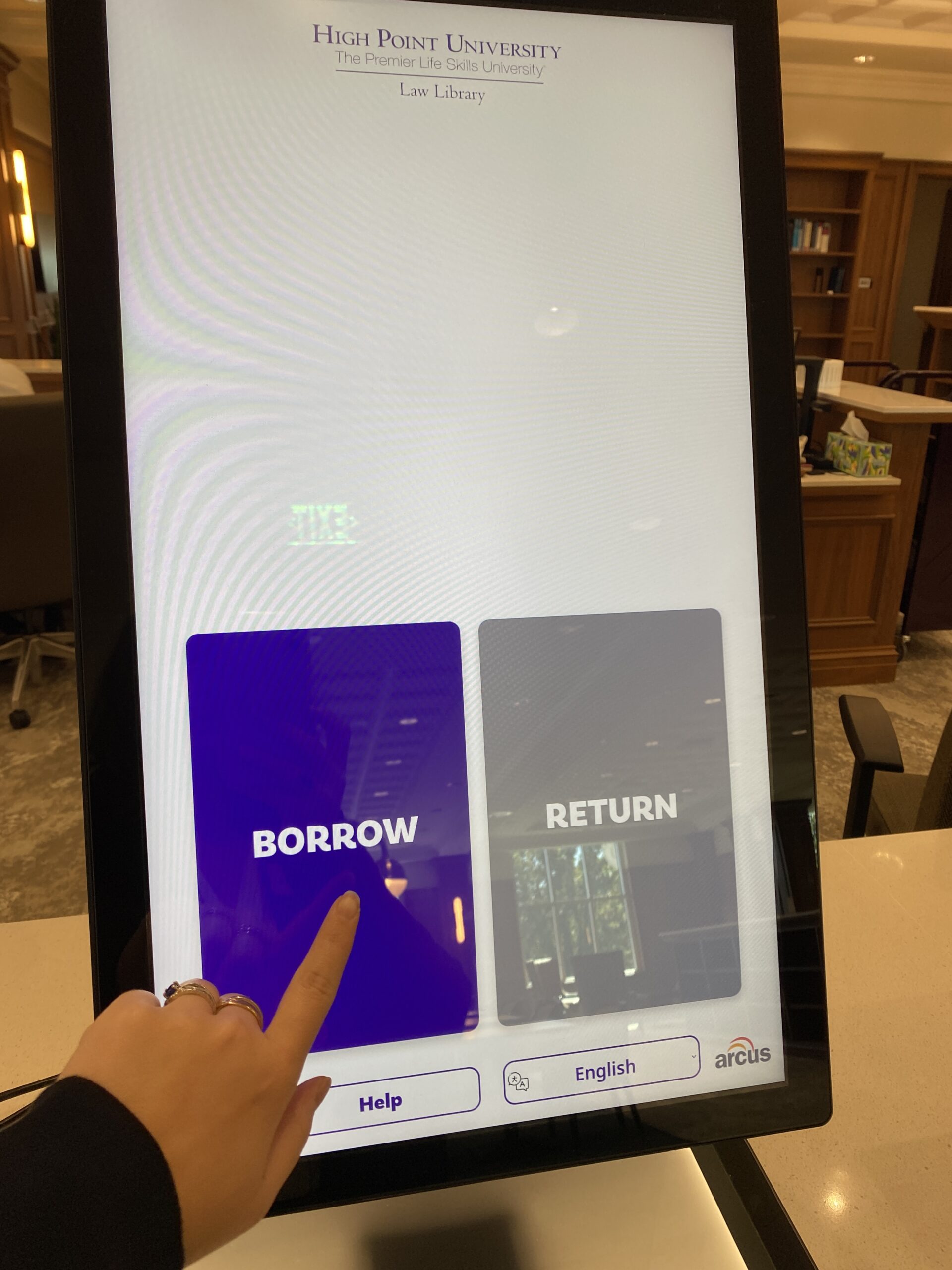
Choose “BORROW” on the home screen.
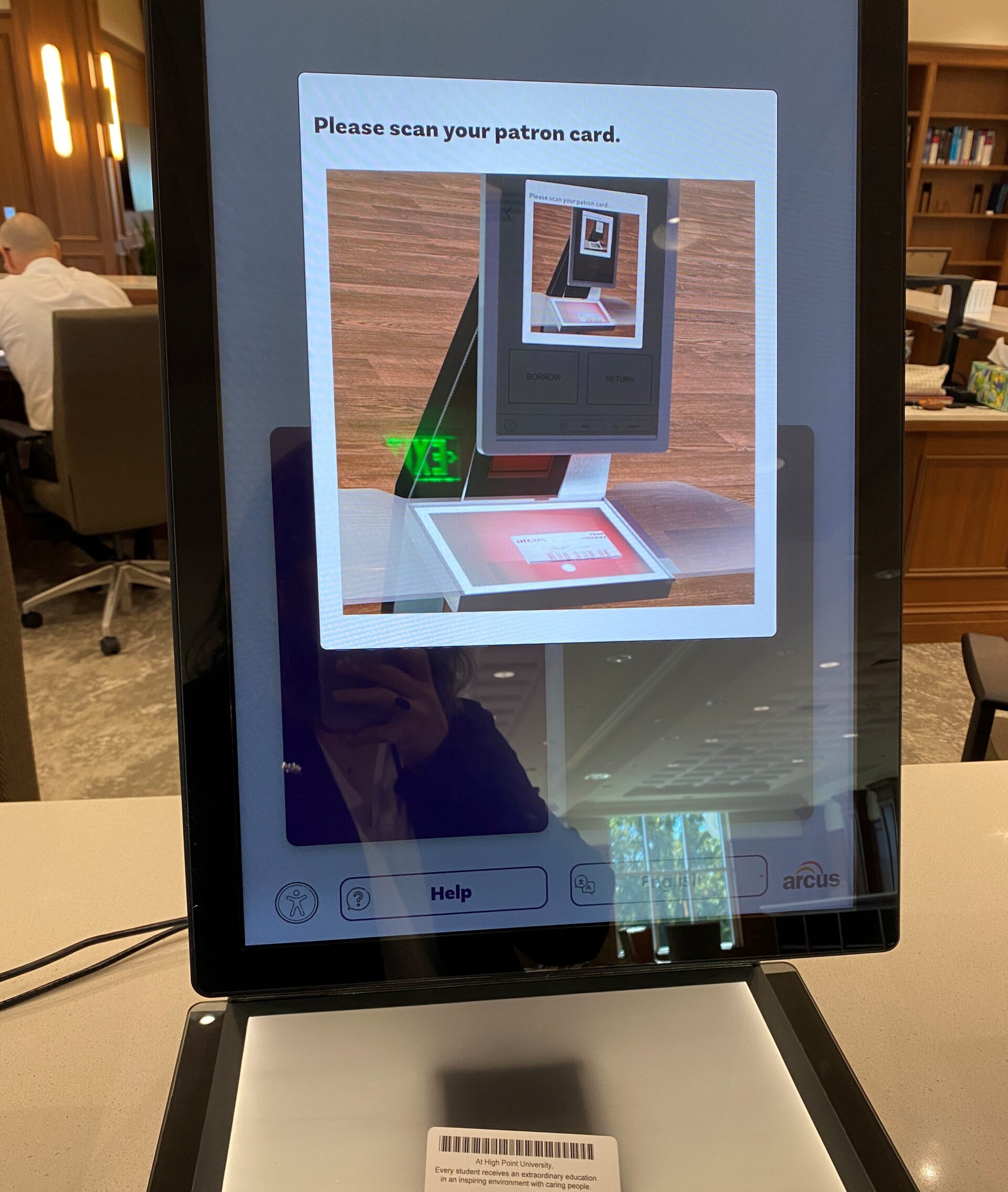
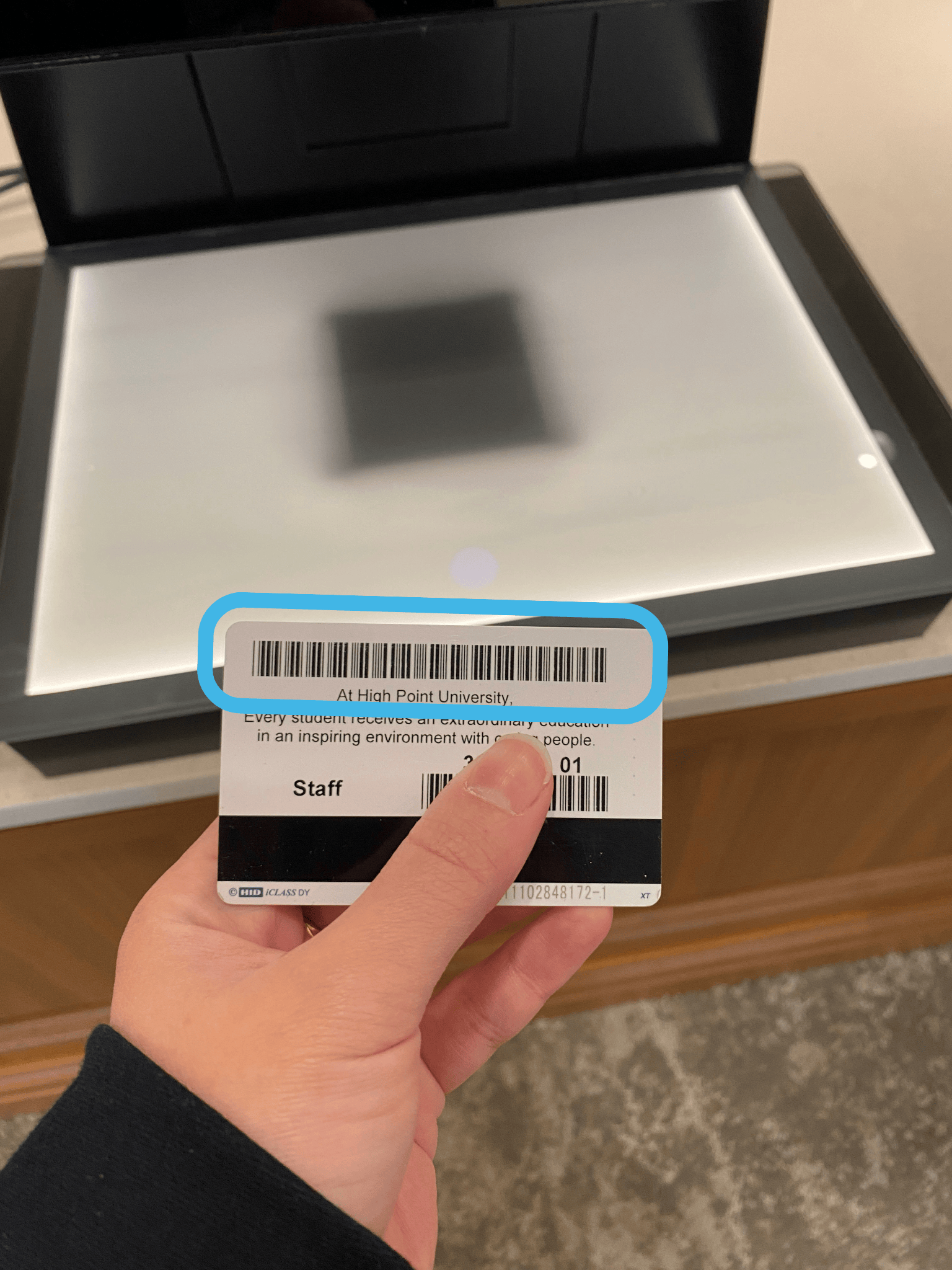
Scan the long barcode on the back of your HPU Passport.
Set the book(s) you would like to check out in the middle of the glass pad.
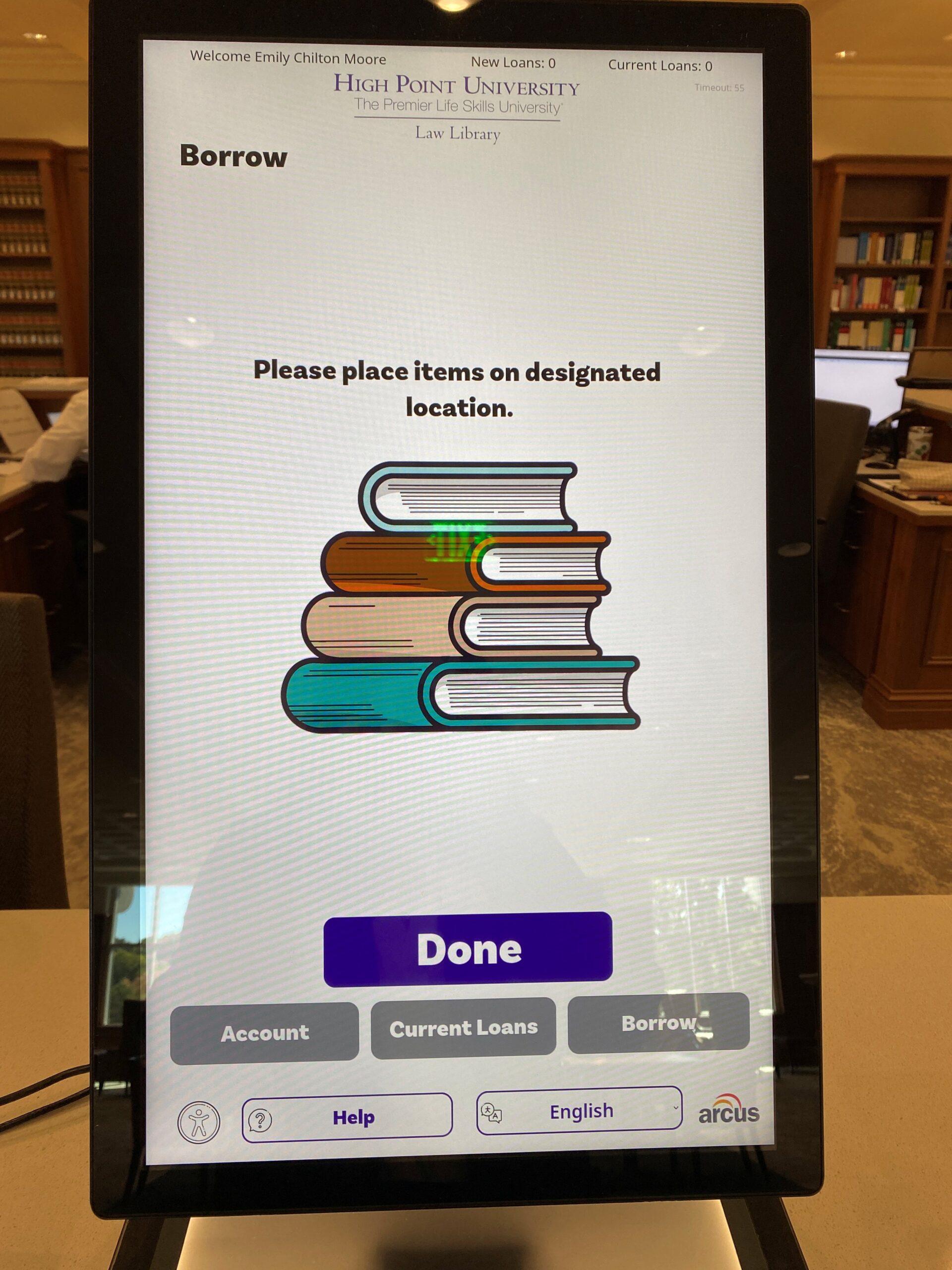
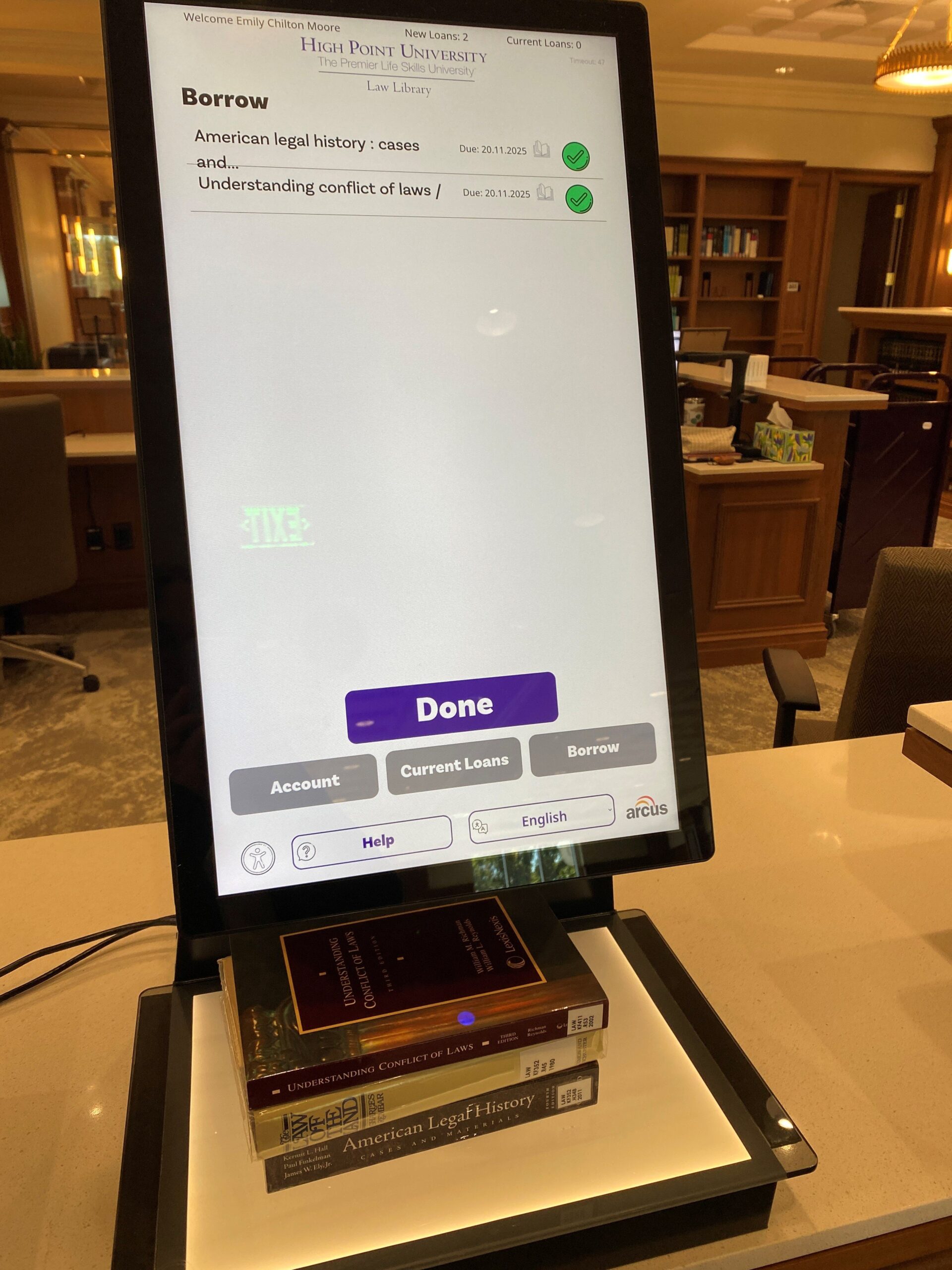
Wait for each title to appear, along with a green check mark to the right.
Success! Your books are checked out.
View Current Loans and Renew
To see your currently checked out books, choose “BORROW” on the home screen and scan the long barcode on the back of your HPU Passport.
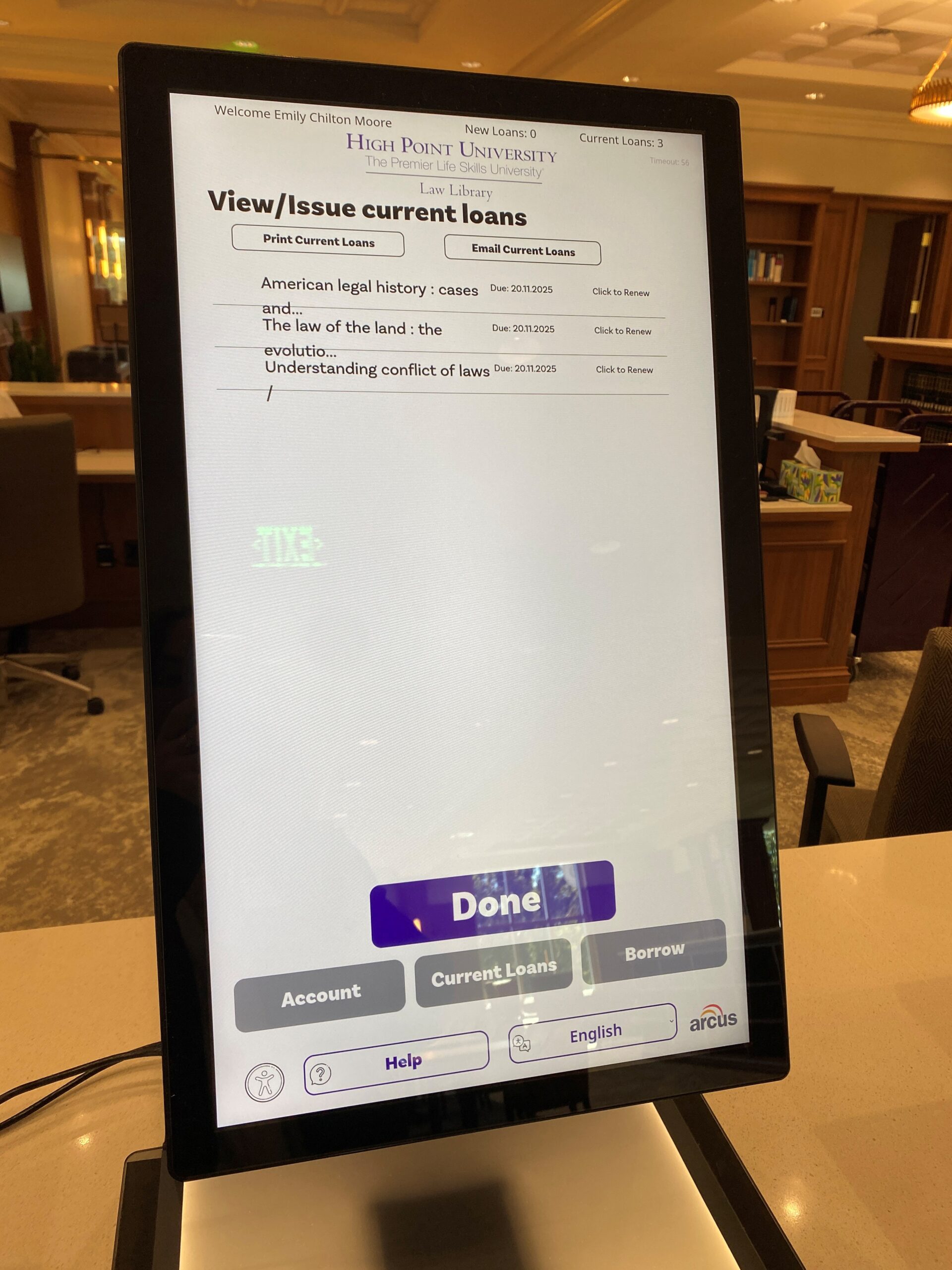
Under the instruction about placing books on the surface, choose the button that says “Current Loans”. This will produce a list of your checkouts along with their due dates. To the right of each title will be a button that says “Click to renew” if you would like to renew the loan for longer.

Returning
Choose “RETURN” on the home screen.

Set the book(s) you would like to return in the middle of the glass pad.
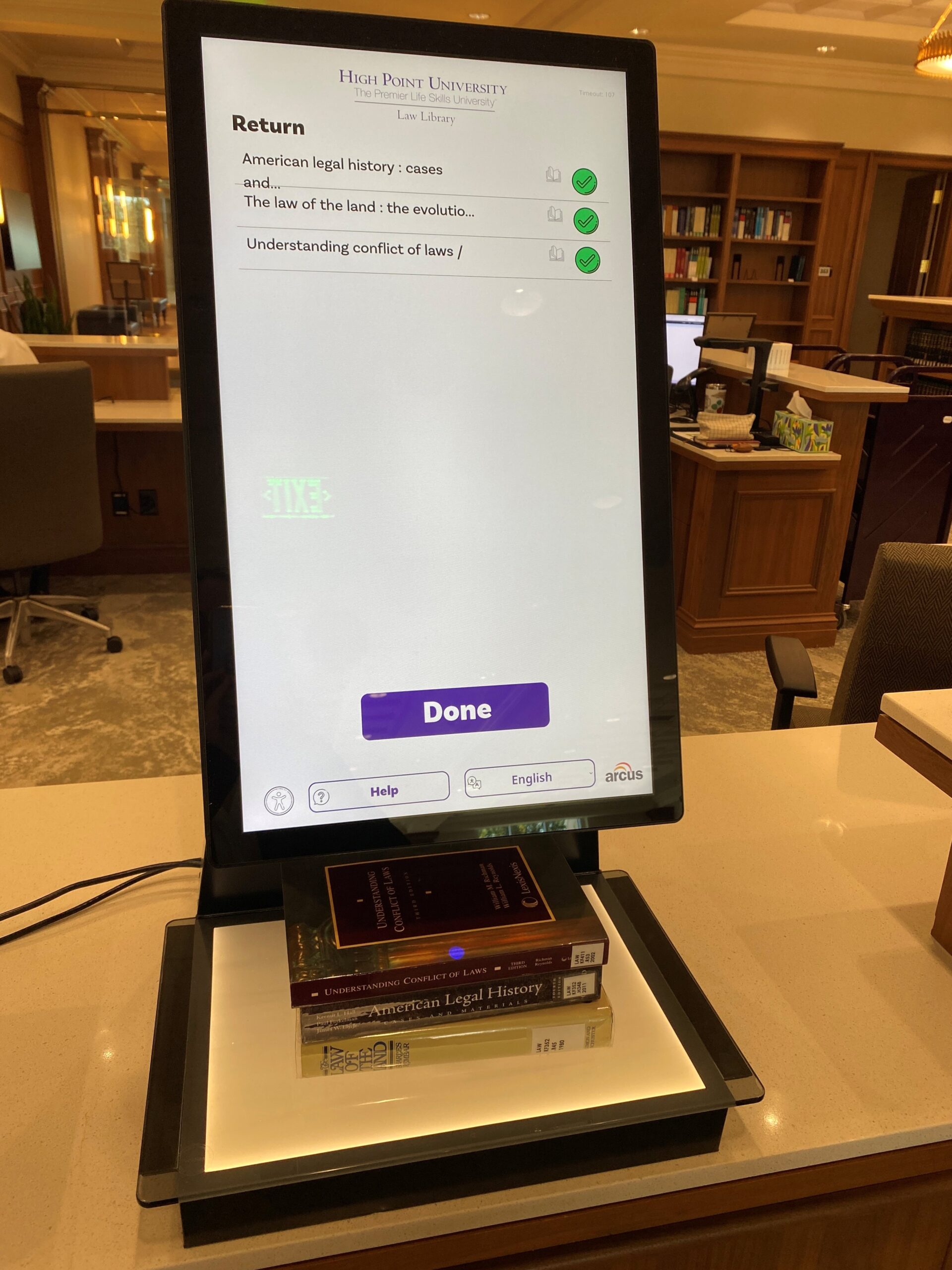
Wait for each title to appear, along with a green check mark to the right.
Place books on the small purple cart near the desk with the label “PLEASE PLACE BOOKS HERE FOR RESHELVING.”