Media Equipment
Faculty and Staff may borrow projection screens, and overhead projectors. Faculty and Staff will need to let the Media & Digital Services Librarian know if they plan to use the materials longer than the standard check out time.
Graduate students may borrow equipment longer than the standard check out time, as long as they communicate with Media & Digital Services ([email protected]) through email, phone, or in person.
Students may borrow only certain items of equipment. These include digital cameras, digital camcorders, tripods, voice recorders, tape recorders, Mac VGA connector cables, headphone splitters, SD card readers, and portable DVD/Tape players. Students may also use most of the remaining equipment in-house with permission from the Media Librarian. For a list of tutorials about various equipment please see the Media Tutorials Guide.
Faculty, staff, and students are responsible for damage or loss of equipment that they checkout. If library material is damaged or is lost, the patron is billed for the replacement cost of the material plus any fines and fees.
Equipment can only be checked out of the Media Services Lab from the hours of 8:30 am-5:00 pm Monday through Friday.
Cameras and some accessories can be checked out for 24 hours. The patron is charged a $5 fine every day that the equipment is turned in late.
Equipment Available for 1 day Checkout:
| Ninja Column 1 | Ninja Column 2 | Ninja Column 3 | Ninja Column 4 |
|---|---|---|---|
 | Canon EOS DSLR Digital Camera |  | Canon EOS Flash for DSLR Digital Camera |
 | Canon M50 4K DSLR Digital Camera |  | Canon Powershot Point & Shoot Digital Camera |
 | Canon Vixia Camcorder | 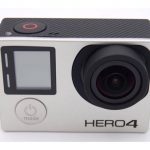 | GoPro Hero 4 |
 | Steadicam Curve Go Pro Stabilizer |  | JVC GC-XA2BU Adixxion Action Camera |
 | Kodak Pix Pro 4K 360 Camera System |  | Samsung Gear 360 Camera |
 | Sony Handycam |  | Viltrox L116T DSLR LED Light |
 | Light Reflectors (Translucent, Gold, Silver, White & Black) |  | EFS 55-250mm Image Stabilizer Lens for DSLR Digital Camera |
 | Grip Handle Camera Stabilizer |  | Roxant DSLR Stabilizer |
 | Smartphone Tripod Adapter |  | Track Slide for Camera |
 | Tripod Dolly |  | Rode VideoMic ME Smartphone Microphone |
 | Rode VideoMic RO DSLR Microphone |  | Rode Videomic with Optional Boom Kit and Wind Muff |
 | Canon WM-VI Wireless Microphone Set |  | Miracle Sound Smartphone Lavalier Microphone |
 | Sony ECM-AW4(T) Wireless Bluetooth Microphone System |  | Sony ICD-PX312 Audio Recorder |
 | Sony Over-the-Ear Headphones |  | LG Slim Portable DVD Writer |
 | Sony BDP53700 BluRay/DVD Player |  | LG DP132H Region-Free DVD player |
 | Samsung 32GB Flash Drive USB 3.0 |  | 24"x 36" Presentation Poster Frames |
Equipment Available for 3-7 Day Checkout:
| Ninja Column 1 | Ninja Column 2 | Ninja Column 3 | Ninja Column 4 |
|---|---|---|---|
 | Califone 1500AV-BL Audio cassette recorder |  | Sony VCT-R640 Digital camera/camcorder tripod |
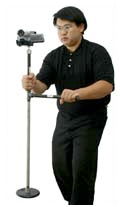 | Steadycam Digital camera/camcorder |  | Cyber Acoustic Speakers Portable speakers |
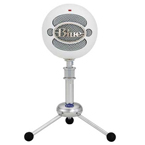 | USB Blue Snowball Computer microphone | 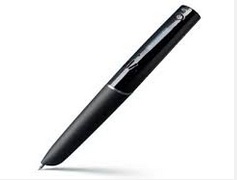 | Echo Livescibe Pen Pen that records writing and speaking |
 | Headset Microphone Computer microphone | 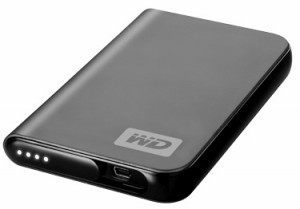 | Western Digital Passport USB external hard drive |
Media Software
The Media Services Department offers access to and lab instruction for the most popular media-production software. High Point University faculty, staff, and students working on media projects are encouraged to stop by the lab for assistance.
Here is a complete list of the available software:
| Ninja Column 1 | Ninja Column 2 |
|---|---|
| Design and graphics | Adobe Photoshop, Illustrator, and InDesign CS6, as well as Microsoft Publisher. |
| Video editing | Adobe Premier Pro, Encore, and After Effects CS6, as well as iMovie, Handbrake, DVD studio pro, iDVD, Motion, MovieMaker, and Camtasia. |
| Music and sound | Audacity and Garageband. |
| Presentation | Microsoft PowerPoint and Keynote. |
| Document editing and creation | Adobe Acrobat, Microsoft Word and Publisher, and Pages. |
| Other | Adobe Bridge, Numbers, SPSS Statistics, and DPS App Builder. |
Helpful software links:
High Point University eBooks on Photoshop
Media Spaces
The Media Lab is equipped with PCs and Macs loaded with popular media software for multimedia projects. The lab also features high-quality paper cutters among other resources. Computers in the Media Lab are available on a first-come, first-served basis.
The first floor also houses Lecture Rooms suitable for classes, study groups, meetings, and more. Each Lecture Room is equipped with a PC computer, document camera, display, and movable desks. To make a reservation, please visit our reservation page to view calendars and submit a request for the lecture rooms.
Additionally, the first floor includes collaboration stations, each featuring a television display at a large table, making them ideal for students or faculty working in groups. These stations are equipped with cables for easy laptop connection.
For any questions about the collaboration stations, please email [email protected].