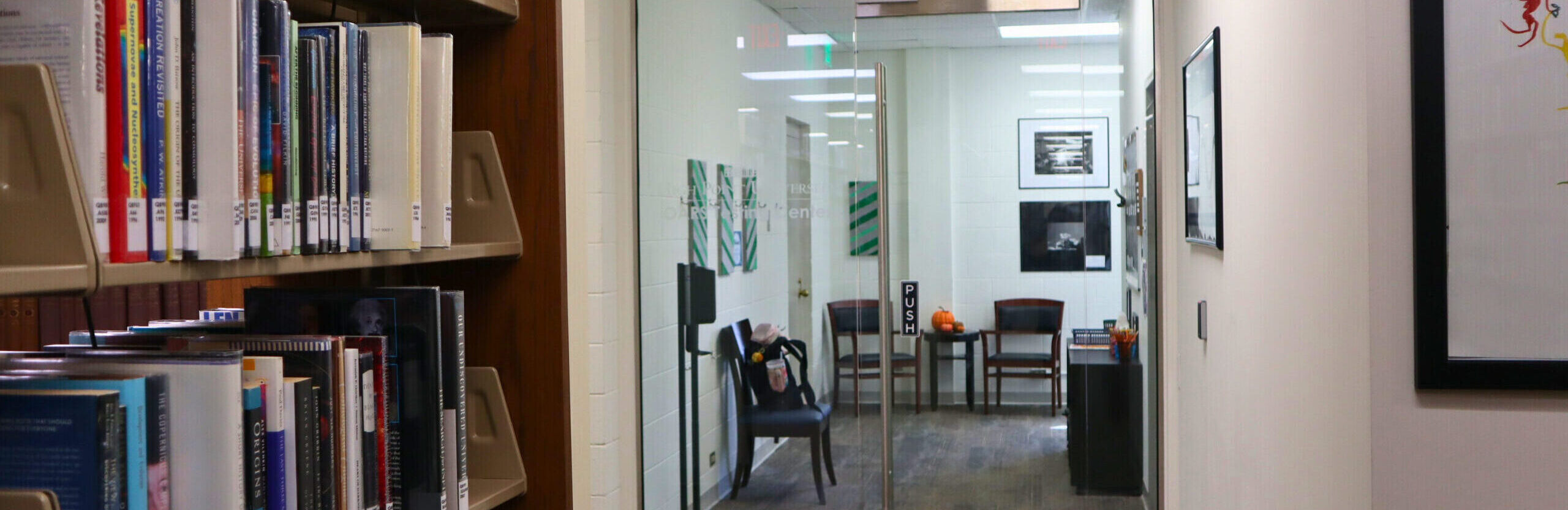
The OARS Testing Center provides testing services exclusively for students with approved testing accommodations. The Testing Center does not administer or proctor standardized or external examinations (e.g., LSAT, GRE, Praxis, etc.). Individuals seeking accommodations for external standardized exams should contact the respective testing organization directly to request accommodations in accordance with that organization’s established procedures.
EXAM ACCOMMODATIONS
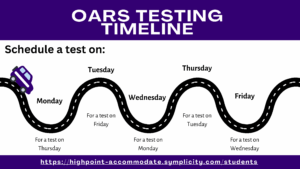
To ensure a smooth testing experience, please book all exam requests through your Accommodate Portal at least 3 business days in advance. For midterms and finals, test booking requests must be submitted at least 6 business days before the first day of the exam period. For example, if midterms begin on October 10th, requests are due by October 2nd. (Note: Saturdays and Sundays are not business days.)
- Students approved for testing accommodations are expected to discuss their accommodations and testing arrangements with their instructor in a timely manner. Instructors may opt to provide testing accommodations in the classroom.
- To schedule tests with the Office of Accessibility Resources and Services (OARS), please visit your Accommodate Portal. You will sign into your portal with your HPU username and password.
*For further assistance with testing accommodations, contact us at (336) 841-2896 or [email protected].
STEPS TO BOOK AN EXAM USING ACCOMMMODATE
- Log into your Accommodate Portal
- Select Testing Room on the left side of your Accommodate Portal
- Select New Booking Request
- Select the course from the drop-down menu.
If applicable, click the “Select for Finals” drop-down and choose “Yes.”
Then, select Next Step to continue. - Select Date of test
- Select Space Smith Library 3rd (During Midterm and Finals Week, the 4th floor of Smith Library will also be available for selection)
- Select Time and then select Request
- Fill out Confirm Exam Booking Form and select Submit Request
Watch video for further instructions:
TESTING HONOR CODE
When scheduling an exam in the OARS Testing Center through your Accommodate Portal, you agree to the following before submitting your request:
“I am honor-bound to refrain from conduct which is unbecoming of a High Point University student which brings discredit to the student and/or the University. I understand that I will be asked to leave my cell phone with the Office of Accessibility Services and Resources personnel, and I will be monitored by camera and personnel while testing.”
No smart watches, unapproved calculators, notes, internet sites, or similar items will be permitted in the testing space.
Students found attempting to cheat will be redirected immediately, and the instructor will be notified with a documented account of the incident, including the time and description of the behavior.
TEST REMINDERS
- Please arrive on time for your scheduled exam.
- For test integrity, all exams must be completed in one sitting and cannot be split into multiple sessions or days.
- All technology devices (cell phones, smart watches, AI glasses, etc.) must be placed in the office basket prior to the start of the exam.
- Students enrolled in a course that utilizes calculators (including advanced models) must bring their own on the day of the exam.
- All bags must be placed in the foyer of the testing center.
- A small snack and drink are permitted during testing.
- Always notify the testing coordinator if you need to use the restroom.
- Students testing in OARS who need a computer are required to use an OARS computer. The only exception is when an instructor requires software that is not installed on OARS computers.
- During peak times (midterms and finals), testing will take place on the 1st, 3rd, and 4th floors of Smith Library. To ensure you are on time, please check Accommodate for the most accurate information of your assigned floor and testing space.
*Check Your Email Regularly
Regularly open and read any emails from Accommodate or the OARS Testing Center staff in your High Point University email account. These messages confirm your exam bookings and provide important updates, such as changes to the exam time, location, or testing room.
Your Feedback Makes a Difference
We’re always looking for ways to improve and who better to ask than YOU? Please take a couple of minutes to share what worked well and what could make your experience even smoother. Your honest feedback helps us build a better testing experience for every student.
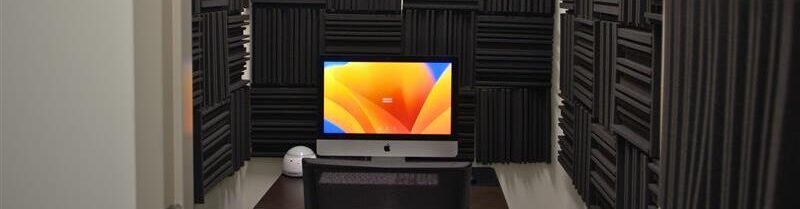

Reader Assistive Technology is an accommodation that provides equitable access to print or digital exam and course materials for students with disabilities who experience barriers to reading standard text. This may include the use of text-to-speech software or other adaptive technologies that convert written content into an alternative format, such as synthesized speech.
Students with a Reader Assistive Technology accommodation who submit a test room booking request are asked on the Confirm Exam Booking form whether they plan to use this technology for their upcoming exam. This allows the OARS Testing Staff to prepare appropriately in advance of the test date.
For exams administered in Blackboard, the built-in ReadSpeaker tool is available to all students. For exams outside of Blackboard, OARS testing staff will provide access to Microsoft Word’s built-in Read Aloud function for Word documents, and NaturalReader for PDF documents. A C-Pen handheld reader is also available upon request for students who prefer this option.

Note-Taking Assistance is an accommodation that provides students with approved access to technologies for recording lectures using audio capture software. Students with this accommodation typically use Genio to record lectures. Genio offers several features, including live closed captioning, “Quiz Me,” and lecture transcripts.
Students agree to use these files for personal study purposes only and are not permitted to share recordings, transcripts, or any other lecture materials with anyone.

Voice Recognition Software is an accommodation that allows students to dictate their answers for short-answer and essay exams.
Students approved for this accommodation and intend on testing in the OARS Testing Center are encouraged to practice using the dictation feature on an OARS testing room computer. All dictation in the OARS Testing Center is conducted using Microsoft Word’s dictation tool.
Screen Reader Assistive Technology is an accommodation that utilizes specialized software to provide auditory access to digital and electronic information.
The OARS Testing Center is equipped with NVDA (Non Visual Desktop Access) and OARS testing staff can assist students in gaining access to this tool. Students approved for this accommodation and planning to test in the OARS Testing Center are encouraged to practice using NVDA features on an OARS testing room computer prior to their exam.

Books in Alternative Formats is an accommodation where students require an alternative media format, such as enlarged text, audiobooks, or OCR-compliant PDF documents for required textbooks. Students must submit an Alternative Format Textbook Request for each book through the Accommodate Portal. In compliance with Copyright Laws students must provide proof of purchase or rental of each textbook before receiving an alternative format.
You must work with your Accessibility Specialist and/or the Assistive Technology Specialist to determine the best alternative format for your needs.
Textbook information for each class may be accessed through the HPU bookstore web page.
Steps to request an Alternative Format Textbook:
- Log into your Accommodate Portal.
- Select Accommodations on the left. In the drop-down menu select Alternative Format.
- Select the Student Entered tab.
- Select Add New Alternative Format Request and complete Alternative Format Text Books form.
- Upload a copy of the receipt in the Proof of Purchase section and attribute it the specific class. We cannot process your request without proof of purchase (or rental) of the textbook.
- Select Requested Types of Alternate Text in the drop-down menu.
- Select Submit.